
A duplicate is two records for the same person. It happens when a client books with her first name written differently, or after an import: Napiro then creates a separate record rather than mixing up two people. It flags it and lets you decide.
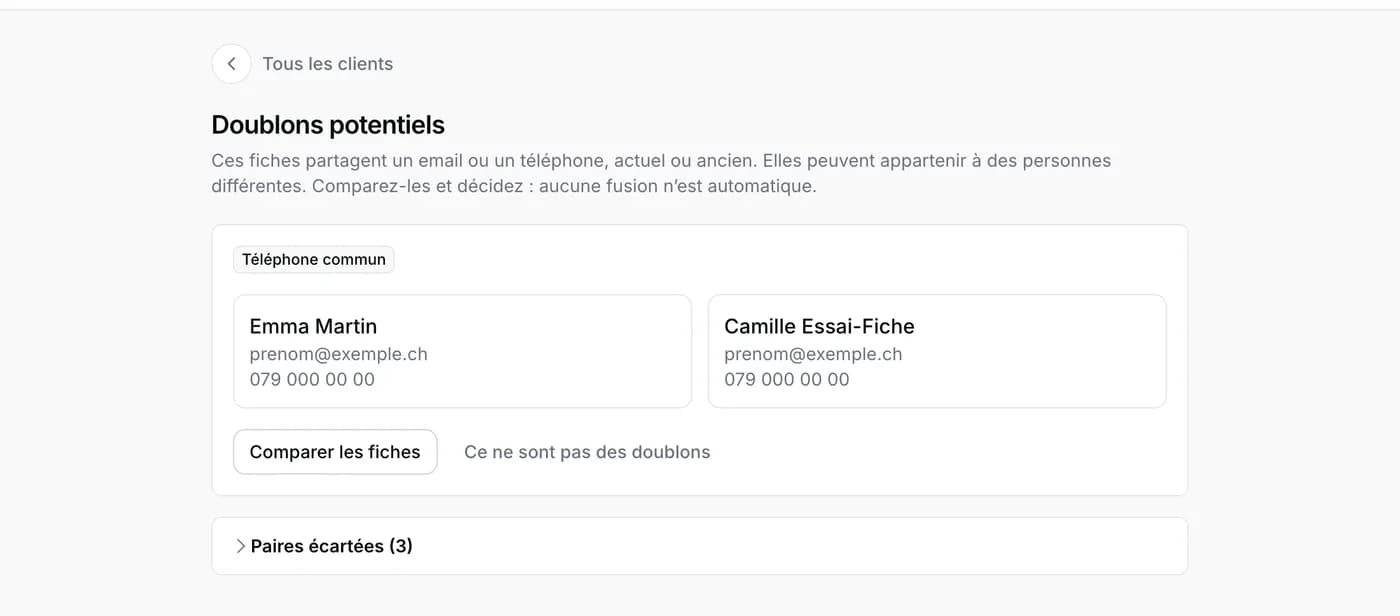
Where to see them
Under Clients, then Potential duplicates. The page shows the records that share an email or a phone number, current or old. A reminder also appears on your dashboard and in the notification bell as long as some remain.
Merging two records
- Tap Compare records.
- For each piece of information that differs, choose the value to keep.
- Confirm: the two records become one, with all the appointments, notes, old contact details and any block. Nothing is lost.
If they are two people
Two relatives sharing a phone number is common. Tap Not duplicates: the pair is set aside and will not be offered again. You will find it under Dismissed pairs, with Suggest again in case of mistake.
You can also merge two records from a client record, with Merge with another record.