
The import is under Settings, then Import clients. It is reserved to the salon owner: an employee does not see this page, and neither does support.
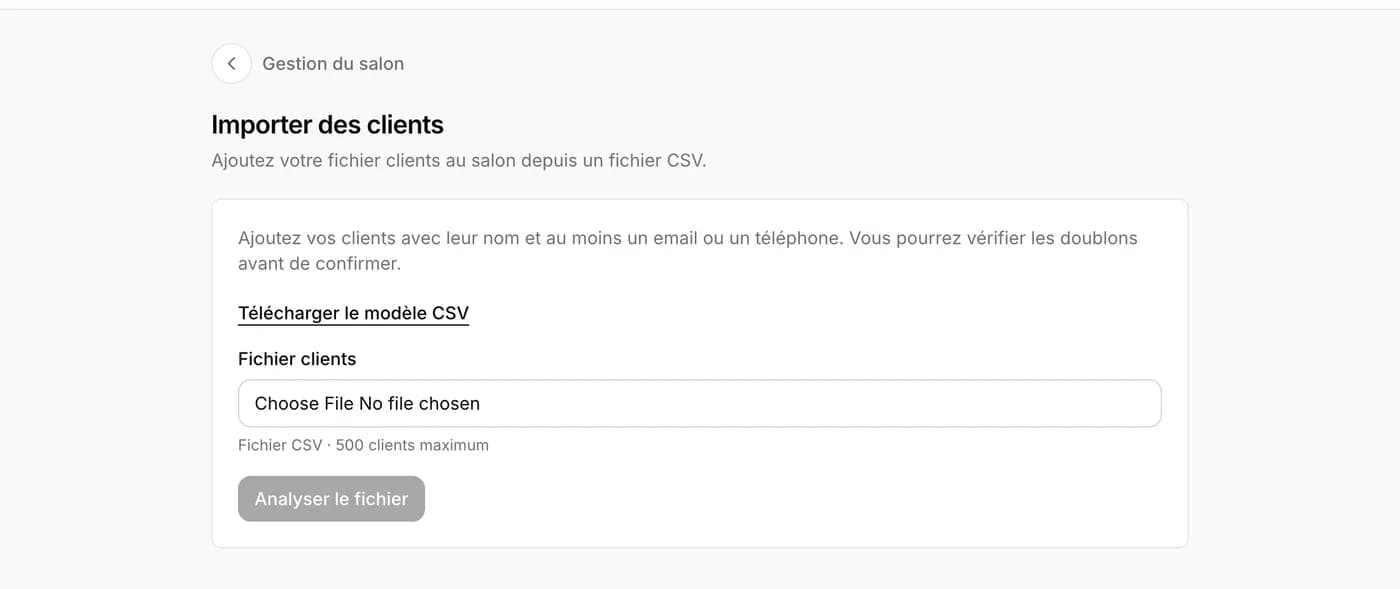
Your client list comes from a spreadsheet: Excel, Numbers or Google Sheets. In that spreadsheet, choose “Save as” and the “CSV” format: it is the only format Napiro reads. One file can hold up to 500 clients; beyond that, make several.
Prepare the file
The easiest way: download the template from the import page, open it in your spreadsheet and fill it in, the columns are ready. One row per client: first name, last name, and at least an email or a phone number. A “notes” column is there for anything you want to keep.
If an email or a number is badly written, the row is rejected: fix it in the file, or leave it aside when checking.
Check before confirming
- Choose the file and start the analysis.
- Read the flagged rows: “possible duplicate” when an email or phone number already exists in your records or higher up in the file, “to fix” when something is missing.
- For each duplicate, decide: merge with the existing record, create a separate record, or do not import the row. Nothing is chosen in advance.
- Confirm the import. The summary lists the records created and merged, with a link to each.
What a merge does
The existing record keeps its name and current contact details. Empty fields are filled in, notes from the file are added, and previous emails or phone numbers stay in the record’s history. Appointments and blocks do not move.
No message is sent to your clients during the import, and the file is not kept.