
Napiro is not on the App Store or Google Play: it installs straight from your browser, in a few seconds. An icon appears on the home screen, and Napiro opens full screen, like an app, without the browser bar.
Sign in to Napiro on the phone, then open My account, and App. The page shows the steps that match your phone.
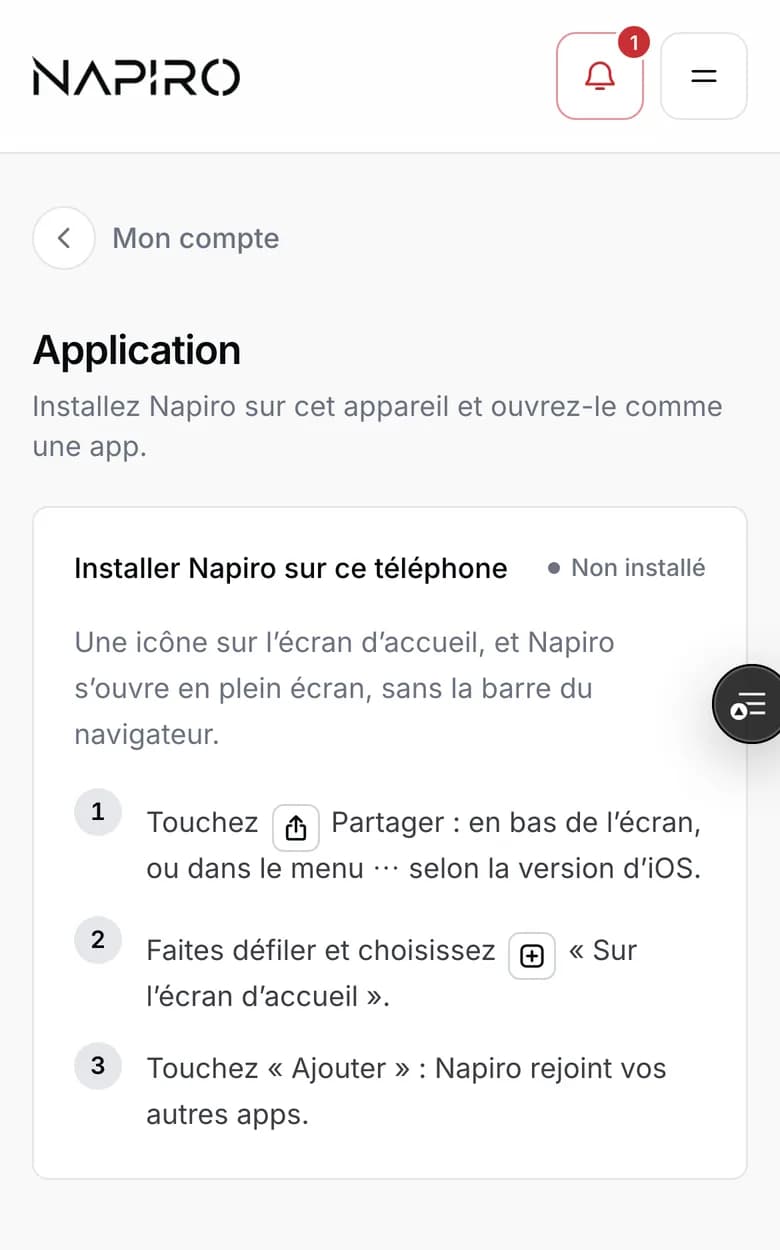
On iPhone or iPad
- Open Napiro in Safari.
- Tap the Share button, the square with an arrow pointing up: at the bottom of the screen, or in the ⋯ menu depending on the iOS version.
- Scroll and choose “Add to Home Screen”, then “Add”.

On Android
- Open Napiro in Chrome.
- Tap the three dots at the top right.
- Choose “Install app” or “Add to Home screen”.
Getting booking alerts
Once Napiro is installed, open it from its icon and go back to the App page: you can turn on notifications there. The phone alerts you when a client books online or cancels, and for every request to handle, even with Napiro closed. On iPhone, notifications only work with Napiro installed on the home screen.
On a computer, the same page offers to install Napiro in its own window, from Chrome, Edge or Safari.