
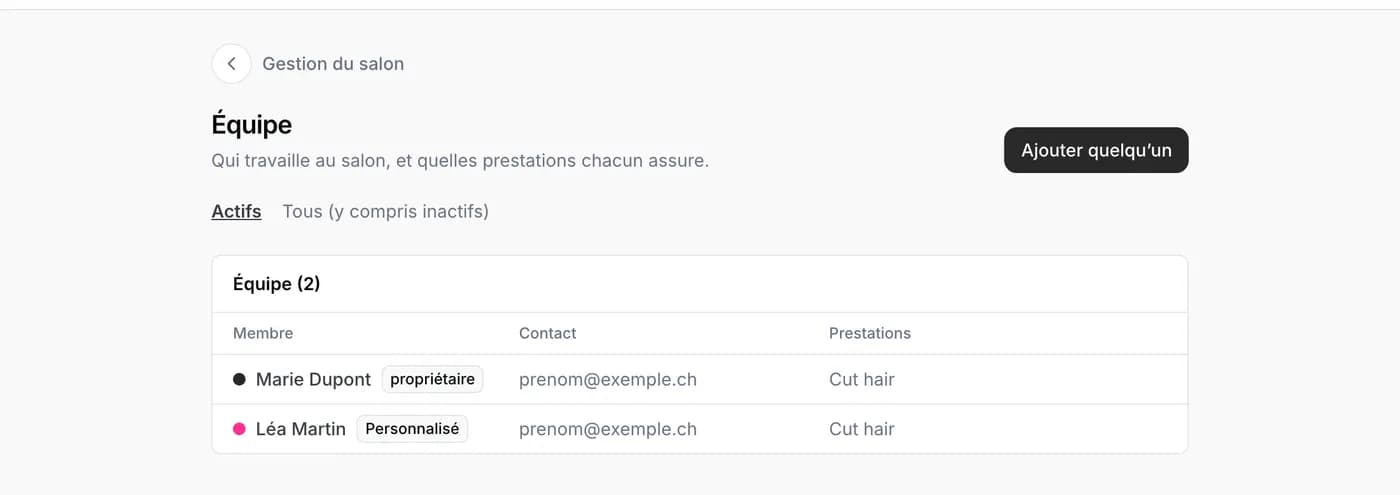
Every person working at the salon has a record under Salon management, then Team. The record is used for the schedule, with its colour, and says which services she performs: that is what opens her slots for booking.
Creating the record
- Tap Add someone.
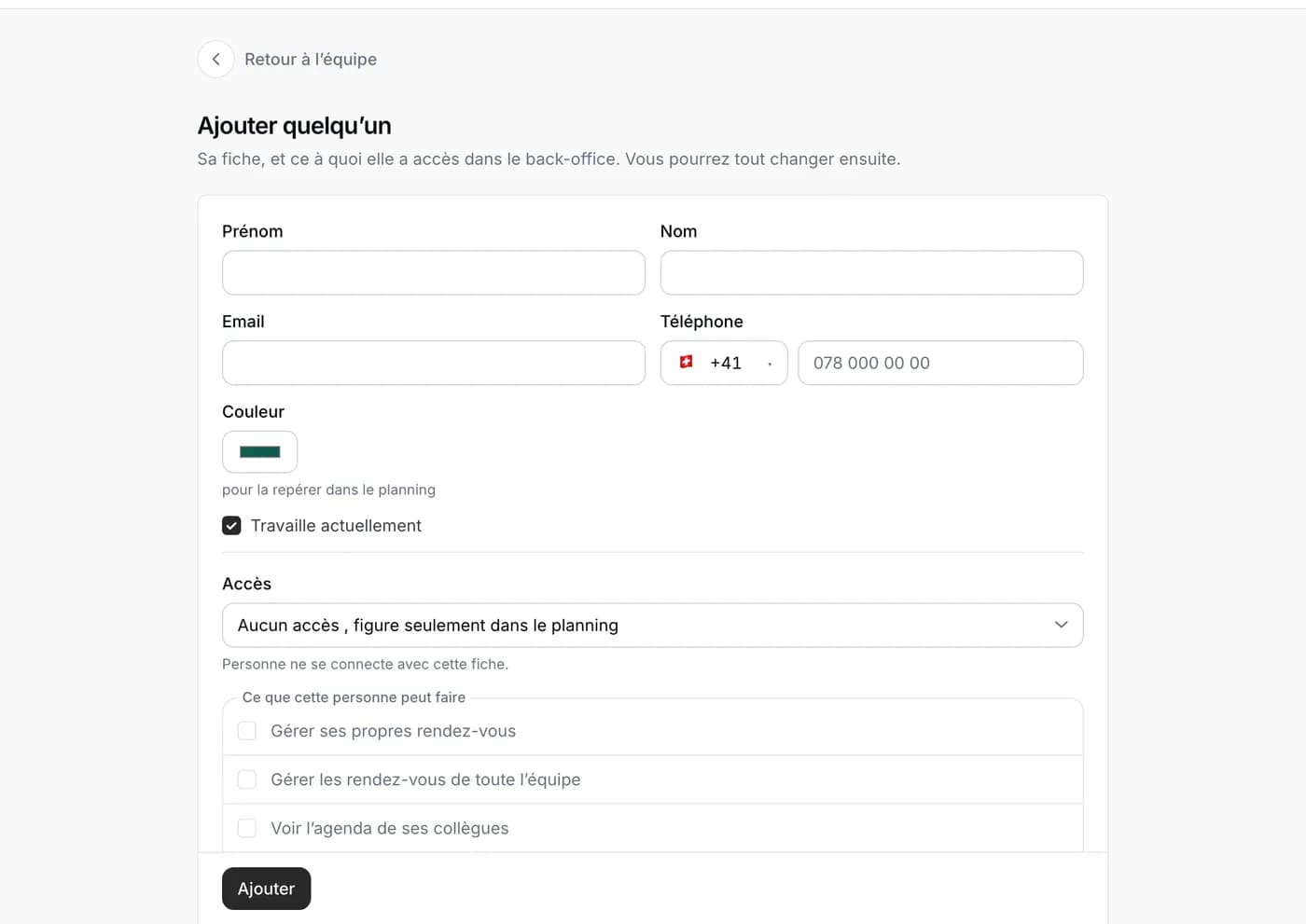
- Fill in her first name, last name and, if you wish, her email and phone. Choose a colour: it will be hers in the schedule.
- Leave Currently working ticked. You will untick it the day she leaves the salon: her record stays in the history.
- After adding, tick the services she performs, and set her hours if they differ from the salon’s.
Choosing her access
The access says what she can do when she signs in, with her own account. No access: she appears in the schedule but does not sign in. Employee: she sees her calendar and manages her appointments. Reception: the whole team’s calendar and the client records. Custom: you tick the allowed things one by one, for example entering her own absences or seeing the reports. Owner: everything, like you.
As soon as an access is chosen, an invitation goes to her email address; if she already has a Napiro account, the access is active right away. You can change or remove the access at any time: her record stays in the schedule.
With the Envol plan
The Envol plan is made for one person: you can create records for the schedule, but not give access to anyone else. For a team that signs in, switch to Signature under Billing.