
Many clients look for their salon on Google or Google Maps. With your Napiro link in your Google listing, a booking button appears on it: the client picks a time slot without calling you.
You need a Google Business Profile for your salon, as its owner or manager. If you do not have one yet, create it at business.google.com: Google then checks that the salon exists, which can take a few days.
Copy your link in Napiro
Only the salon owner sees the button. Your page must be online for the link to work.
- Sign in to Napiro and tap My booking page, at the top of your workspace. On a phone, the button is in the menu. Your page opens in a new tab.
- Copy the address shown in the browser bar. It looks like napiro.com/book/your-salon-name.

Add the link to your Google listing
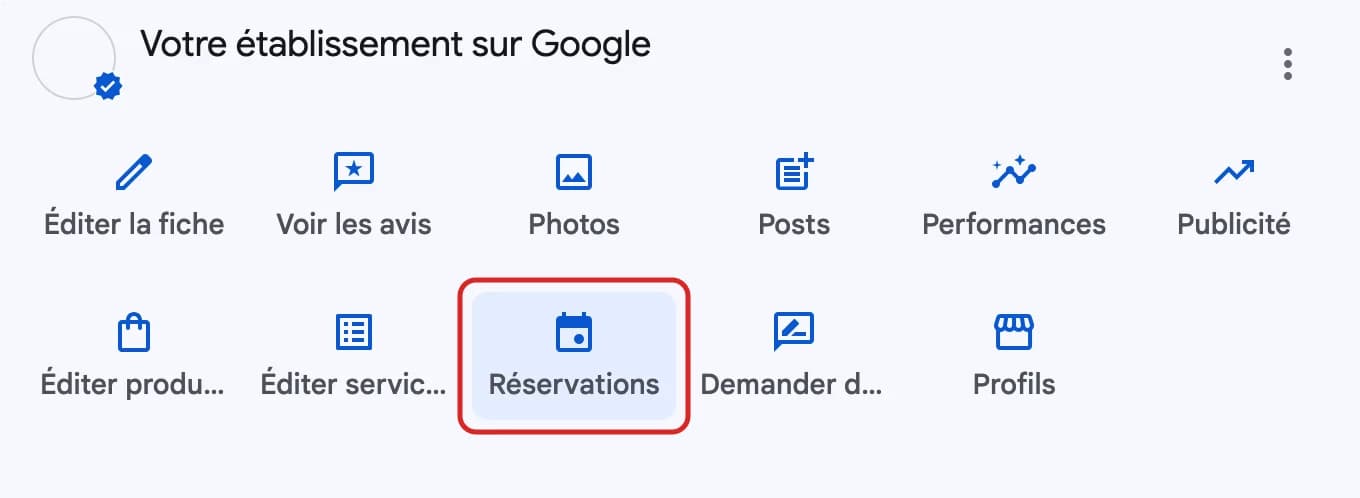
- On a computer, sign in to the Google account of your listing and search for your salon’s name on Google. Your business panel appears at the top of the results. You can also go through business.google.com.
- Tap the bookings button, with the calendar icon.
Paste your link and save
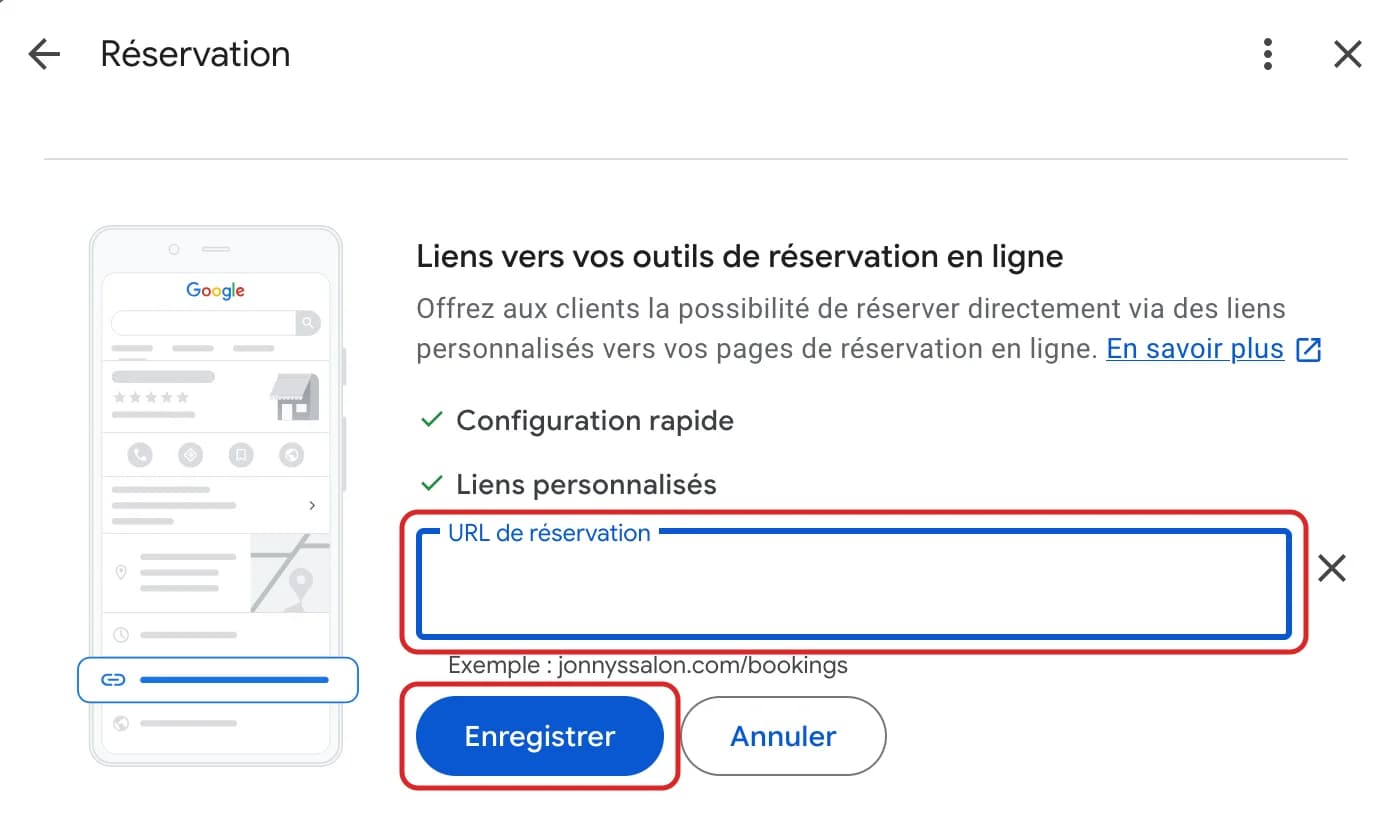
- Paste your Napiro address into the booking URL field. If the field does not appear, first tap “Add link”.
- Tap “Save”.
The button can take a little while to appear. Then open your listing on Google Maps and tap it yourself to check it leads to your page.
If another service already appears
Google sometimes adds links from other booking services on its own, for example from your previous software. So that your clients land on Napiro, open the bookings button, then “Set preferred link”, and select your Napiro link: it moves to the top of the list.
To remove a service you no longer use, open the bookings button and remove that provider.
And your website?
Does your salon have a website? Add a “Book an appointment” button that leads to the same link: Wix, Squarespace and WordPress all offer a button with a web address.
No website? Put your Napiro link in the “Website” field of your Google listing: your clients will find your services, prices and hours there. The same link can also go in your Instagram bio.