
Your booking page is what your clients see when they open your link: your services, your hours and the button to book. It is managed under Salon management, then Public page. The link to share is behind the My booking page button, at the top of your workspace.
One page, several versions
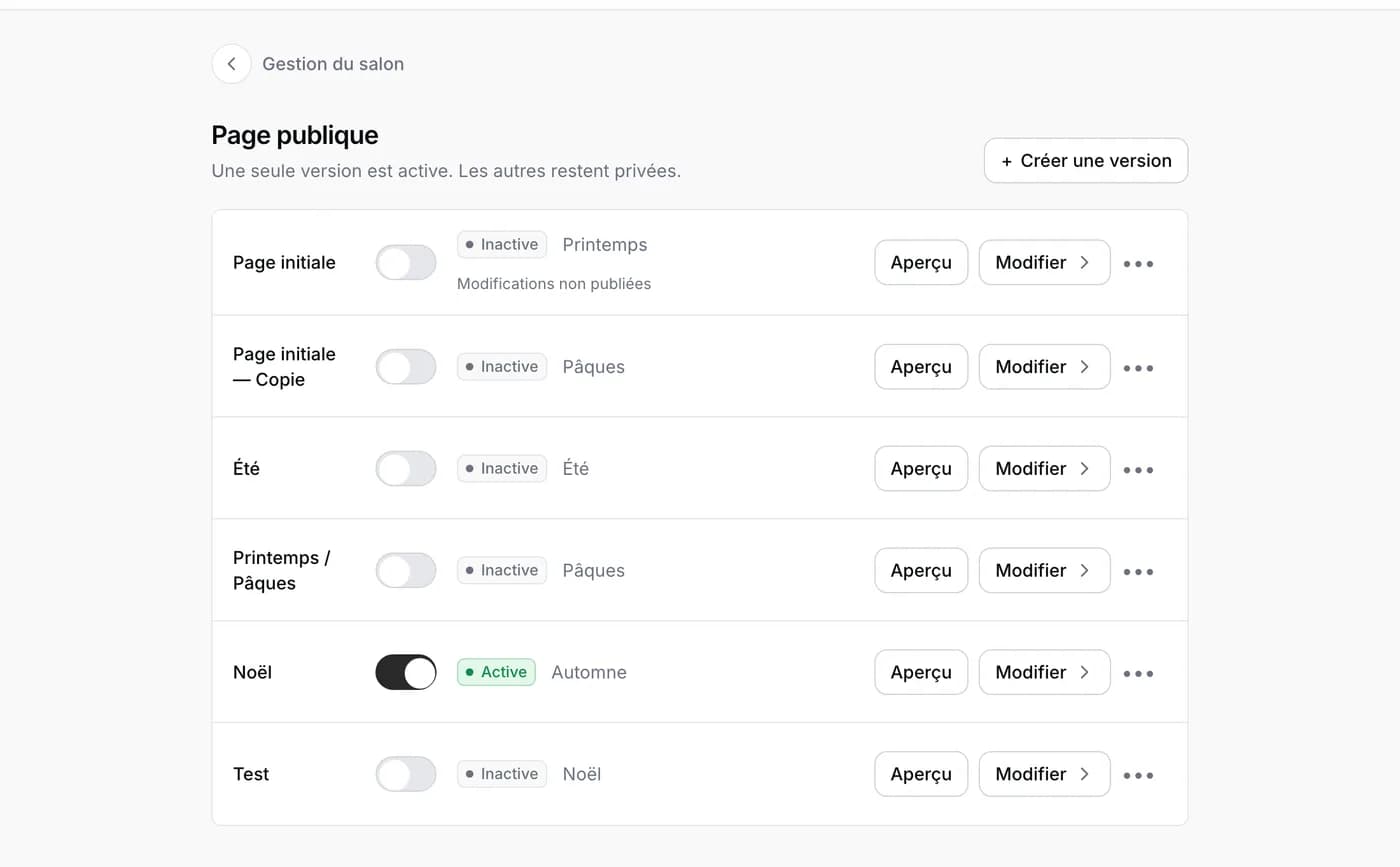
The list shows your versions. Only one is active: that is the one online. The others stay private, so you can quietly prepare a Christmas or summer page, then activate it on the day with the switch. Create a version or Duplicate starts from the existing one; you can keep up to twenty.
Editing the page
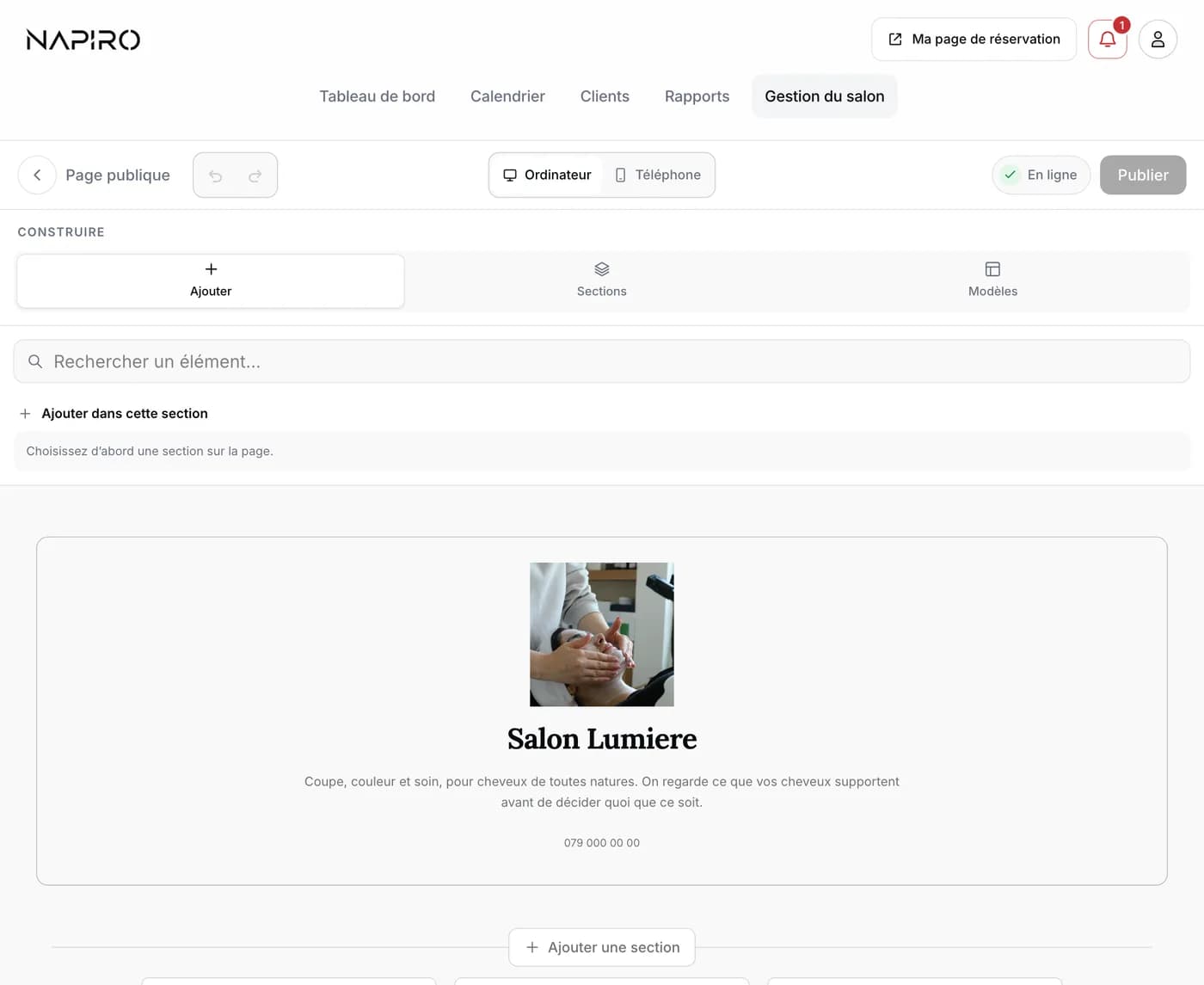
- Tap Edit next to the version you want: the editor opens, with your page below.
- Touch a section of the page to select it, then Add to put an element in it: a text, photos, your services, a map. Sections offers whole blocks, Templates changes the look of the whole page.
- Your changes are saved as a draft on their own: nothing changes online until you press Publish. The message “Your page is up to date” confirms it.
- Discard changes puts the version back as it was at its last publication.
Good to know
The Desktop and Phone buttons show the page as a client will see it on either. On a phone, the editor does not let you move sections: you see your page, you can publish it or change template; the layout is done on a computer or tablet.
Booking cannot be removed from the page: it is what the page is for. To show a map, fill in the salon address under Identity.